Infuse Your Holiday Designs with Festive Cheer
When the air gets crisp and the lights start twinkling, there is a specific visual language that takes over. It is more than just red and green; it is about warmth, nostalgia, and a touch of magic. As designers and creators, capturing that specific "Christmas" personality is crucial for connecting with audiences during the busiest season of the year. Whether you are crafting a cozy brand identity for a local bakery or launching a high-volume print-on-demand store, your typography sets the stage. A premium font can transform a generic template into a memorable piece of art, but finding the right typeface that balances festive flair with professional usability is often the challenge.
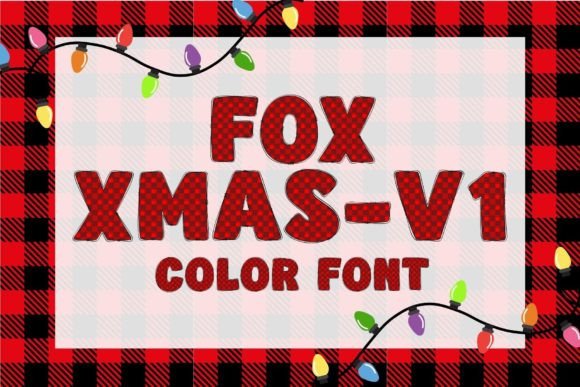
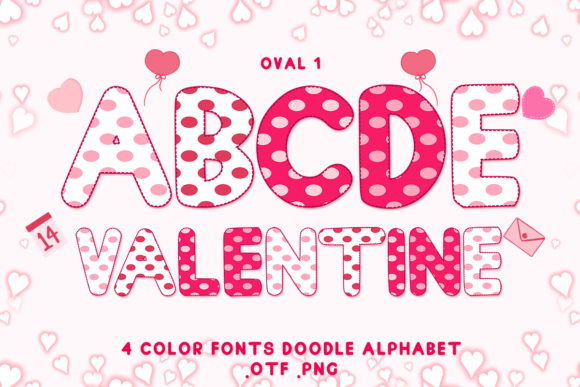
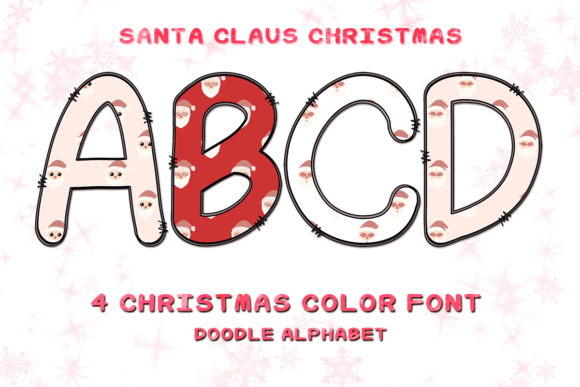
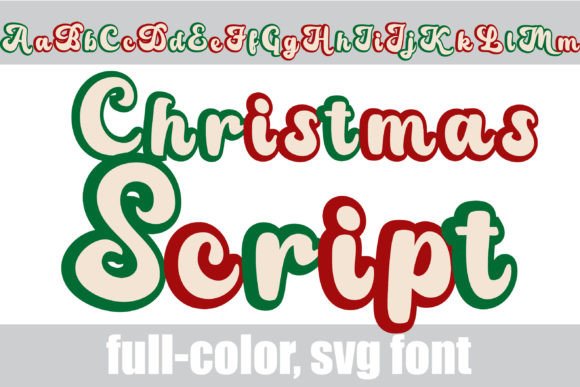
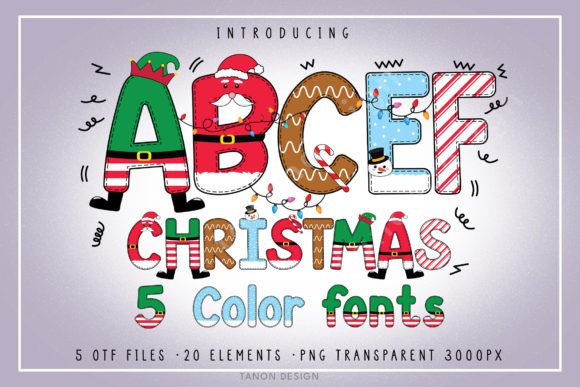
For many projects, the visual appeal of Christmas demands more than standard text. It requires a creative font that carries weight, color, and character. This is where specialized bundles, like the one featuring 5 distinct Christmas Bundle Color Fonts, become invaluable assets in your design toolkit. These aren't just letters; they are decorative elements that define the mood of your project instantly.
Understanding the Visual Personality of Christmas Typography
Christmas typography is unique because it relies heavily on texture and dimension. Unlike a standard sans serif font used for corporate websites, holiday designs often lean toward script fonts, handwritten fonts, or bold display fonts that mimic ornaments, candy canes, or snow. The visual characteristics often include high contrast, playful baselines, and intricate details that evoke a sense of handcrafted quality.
The specific bundle we are looking at offers 5 Christmas Bundle Color Fonts designed to capture this exact aesthetic. The "color font" aspect is particularly significant here. Traditionally, adding color to a font required manual editing in vector software. However, modern color fonts embed the color data directly into the file. This means when you type, the letters appear with pre-designed textures—think glitter, wood grain, or festive stripes—already applied. This is a massive time-saver for social media graphics or packaging design where speed and impact are equal priorities.
However, the utility of this bundle extends beyond the colorful versions. The inclusion of a solid black version ensures that you aren't limited to software that supports advanced OpenType features. If you are working on a logo design that needs to be embroidered or etched, or if you are using a cutting machine, that black version is your workhorse.
Practical Applications: From T-Shirts to Digital Campaigns
The versatility of a well-designed Christmas bundle lies in its ability to scale across different mediums. Let’s break down how these fonts function in real-world scenarios for small business owners and hobbyists alike.
Physical Products and Crafts
For those in the physical product space, such as Etsy sellers or crafters, the compatibility of your font files is paramount. The black version of this font is explicitly compatible with Cricut Design Space and other cutting machines. This allows you to cut vinyl decals, iron-on transfers for t-shirts, and intricate paper designs for cards without the software glitching on complex vector paths. When creating mug designs or holiday decor, the display font style ensures that your text remains the focal point, even on textured surfaces like ceramic or wood.
Digital Design and Marketing
On the digital front, the color versions shine. If you are a blogger or content creator, your holiday headers and Pinterest pins need to stop the scroll. Using these color fonts in PhotoShop or Illustrator allows you to create high-impact visuals without layering multiple textures. The provided PNG transparent files (3000px) are also a massive asset here. These pre-rendered elements allow for drag-and-drop functionality, which is perfect for quick mockups or for those who prefer working with raster images over vectors.
Consider editorial design for a holiday magazine or catalog. The headers can utilize the colorful, festive font to set the seasonal mood, while the body copy should always revert to a legible serif font or sans serif font. This contrast creates a clear visual hierarchy, guiding the reader's eye naturally from the decorative title to the informative text.
Strategic Usage: Readability and Brand Consistency
While the aesthetic of a Christmas font is exciting, professional application requires restraint. One of the most common mistakes in holiday marketing is prioritizing style over substance. A font filled with glitter or complex curves might look beautiful on a poster, but if used for body text or small print on a business card, it becomes illegible.
Font pairing is the solution to this problem. The Christmas bundle fonts are bold and expressive; they demand attention. Therefore, they pair best with simple, neutral typefaces. If your header uses a textured, chunky Christmas font, try pairing it with a clean modern typography style for the sub-headers and body text. This balance ensures your design feels festive but remains professional and easy to read.
Furthermore, consistency builds brand recognition. If you are running a holiday campaign, use the specific color palette found within the color fonts across all your assets. Match your background colors and accent graphics to the embedded colors of the font to create a cohesive brand identity. This attention to detail signals to your audience that your brand is polished and trustworthy, regardless of whether you are selling artisanal goods or digital services.
Evaluating Fit and Licensing for Your Projects
Before integrating any new design assets, it is vital to evaluate the technical fit. The description of this bundle highlights a crucial distinction: the color versions are compatible with specific software like Silhouette and Inkscape, but not Cricut Design Space for the color variants.
This is a standard limitation in the world of color fonts. The technology that makes the fonts colorful (SVG data) is often too complex for cutting machine software to interpret as a cut line. Therefore, your workflow might look like this:
- For Printing: Use the OTF color files in Photoshop or Illustrator to create high-resolution prints where the texture is baked in.
- For Cutting: Switch to the standard black OTF/TTF version for Cricut or Silhouette machines where you need clean, single-color cut paths.
- For Quick Edits: Use the included PNG files if you are working in software that doesn't support advanced font features, or if you need to resize and recolor specific elements quickly.
Always review the commercial licensing terms if you plan to sell products featuring these fonts. Most standard licenses cover physical end-products (like a t-shirt sold to a customer) and digital end-products (like a printable PDF sold on Etsy), but restrictions often apply to reselling the font files themselves. By understanding these boundaries, you can use the commercial font with confidence, ensuring your holiday business remains compliant while looking absolutely fantastic.